Title Generator for Presentation: Best Free AI Tools
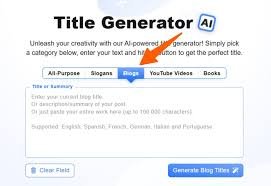
Creating an impressive presentation begins with choosing the right title. Whether you are preparing a university assignment, business proposal, training session, or professional conference talk, your title shapes the audience’s first impression. A title generator for presentation can help you develop clear, engaging, and relevant headings without spending hours brainstorming. Modern AI-powered tools analyse your topic and suggest different approaches, allowing you to choose wording that communicates your message effectively while attracting attention.
Finding the right balance between creativity and professionalism is not always easy. Some titles sound interesting but fail to explain the subject, while others provide information without encouraging curiosity. Fortunately, free AI writing tools can simplify this process by offering alternative phrases, questions, and descriptive headings. This guide explores useful presentation title generators, explains how to use them effectively, and shares practical examples for academic, business, and creative presentations.
What Is a Title Generator for Presentation?
A title generator for presentation is an online writing tool that creates suggested headings based on information supplied by the user. You typically enter a subject, a short description, or several keywords, and the tool produces possible titles. AI-powered generators can also adapt their suggestions to different audiences and writing styles. This makes them useful for students preparing coursework, teachers designing lessons, and professionals developing reports, pitches, or conference presentations.
Unlike traditional brainstorming, AI-assisted title generation allows you to explore several approaches within seconds. For example, a topic about renewable energy might produce an informative title such as “Renewable Energy in the UK” or a more engaging alternative such as “Can Renewable Energy Power Britain’s Future?” Neither approach is automatically better. The most suitable choice depends on the presentation’s purpose, the audience’s expectations, and the information you intend to communicate.
Best Free AI Title Generator Tools for Presentations
Choosing the right title generator for presentation tasks depends on the features you need. Some platforms focus on producing short, engaging headlines, while others provide broader writing assistance or integrate with presentation design software. Popular options include Canva, Grammarly, QuillBot, TitleGenerator.com, and Twistly. These services offer different approaches to generating ideas, although free features, account requirements, and usage limits can change, so checking each provider’s current terms is worthwhile.
Canva Magic Write is particularly convenient for people who already create slides using Canva. It can help brainstorm headings alongside other presentation content. Grammarly’s AI title generator is useful for exploring professional or academic wording, while QuillBot offers another option for generating alternatives from a topic. TitleGenerator.com supports broader headline brainstorming, and Twistly provides a presentation-focused option. Comparing their outputs helps identify which tool produces suggestions closest to your intended style.
How to Use a Title Generator for Presentation Ideas
Using a title generator for presentation ideas begins with defining your topic clearly. Rather than entering a broad phrase such as “business”, provide a more descriptive request explaining what your presentation covers. For example, “How small UK businesses can improve customer retention” gives an AI tool a specific subject and purpose. You can improve the results further by mentioning whether your audience consists of university students, business managers, customers, or industry specialists.
Once the generator produces suggestions, examine each title for clarity, relevance, and tone. Avoid selecting an option simply because it sounds exciting. A presentation about practical workplace safety should not promise revolutionary discoveries unless the content genuinely supports that claim. Instead, choose a heading that communicates the subject accurately. You can also request shorter versions, more formal wording, or a question-based title until the result matches your presentation’s objectives.
Creative Presentation Title Ideas and Examples
A title generator for presentation projects can provide inspiration across academic, professional, and creative subjects. For university presentations, suitable examples include “The Future of Sustainable Transport in Britain”, “How Artificial Intelligence Is Changing Education”, and “Understanding the Impact of Social Media on Young Adults”. These titles identify their subjects clearly while leaving enough room for research, evidence, and discussion. Academic audiences generally benefit from accurate descriptions rather than exaggerated promises or unnecessarily dramatic language.
Business presentations often require a slightly different approach because the audience may be interested in decisions, performance, and practical outcomes. Examples include “Building Customer Loyalty in Competitive Markets”, “Smarter Ways to Improve Team Productivity”, and “Digital Marketing Strategies for Growing Businesses”. Creative presentations can use more expressive titles, such as “Small Ideas, Big Changes” or “Beyond the Ordinary”. Whatever the subject, an effective title should reflect the information contained in the slides.
How to Write a Professional and Engaging Presentation Title
An effective presentation title should communicate its central message without overwhelming the audience. A title generator for presentation content can suggest useful wording, but the final selection still requires human judgement. Aim for a concise phrase that explains the topic and, where appropriate, highlights a specific benefit or question. Avoid unnecessary jargon, repeated words, and complicated expressions. A title should be easy to understand when displayed on a screen or announced by a speaker.
Consider the difference between “An Extensive Investigation into Various Factors Influencing Employee Performance” and “What Improves Employee Performance?” The second title is shorter and more accessible, although the first might suit a formal research document. For complex presentations, a subtitle can provide additional context without making the main heading cumbersome. For example, “The Future of Work: How Automation Is Reshaping UK Businesses” combines an engaging opening with a clear explanation of the subject.
Free AI Presentation Title Generator vs Manual Title Writing
AI-assisted title generation and manual writing each offer useful advantages. A title generator for presentation planning can quickly produce alternative phrases, helping you overcome creative blocks or explore unfamiliar approaches. This is particularly valuable when preparing several presentations or working under a deadline. However, generated titles can sometimes sound generic, repeat familiar expressions, or overlook important details about your research. Reviewing the suggestions remains essential before adding them to your slides.
Manual title writing provides greater control over meaning, context, and originality. Someone familiar with a specialised subject may recognise distinctions that an AI tool does not capture. Combining both approaches can therefore be effective: use AI to explore possibilities, then refine the strongest option using your knowledge of the material. This method preserves the convenience of automated suggestions while ensuring the final title accurately represents your presentation and respects your audience’s expectations.
Common Mistakes to Avoid When Generating Presentation Titles
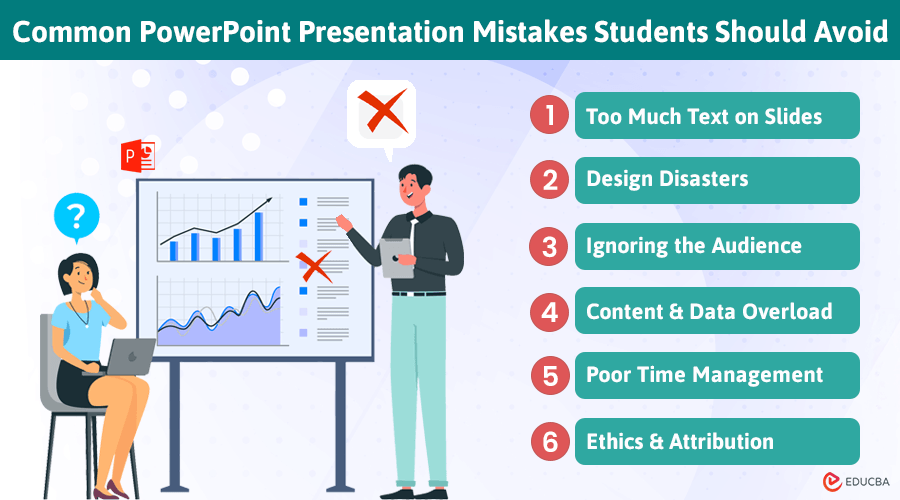
One frequent mistake is choosing a title that attracts attention but misrepresents the content. A presentation about basic cybersecurity awareness should not promise to reveal every secret of online security. Another common problem is excessive length, which can make headings difficult to read on slides. When using a title generator for presentation ideas, prioritise accuracy and readability over dramatic wording. Your audience should understand the general subject before the presentation begins.
It is also important to avoid relying entirely on the first AI-generated suggestion. Compare several options and consider how each one sounds when spoken aloud. Check spelling, punctuation, and consistency, particularly when preparing material for UK audiences. British English conventions, such as “organisation” and “optimisation”, should be maintained where appropriate. Finally, make sure your chosen title matches the introduction, supporting slides, and overall conclusion rather than promising information you never discuss.
Tips for Choosing the Best Presentation Title
Selecting the strongest title requires an understanding of both your subject and your audience. A title generator for presentation development can help you experiment with questions, statements, and descriptive phrases, but the final decision should reflect the presentation’s purpose. A university research presentation may benefit from precise terminology, whereas a business pitch might focus on a problem or opportunity. Consider what listeners need to understand immediately and which details can be explained later.
Before finalising your heading, read it alongside your opening slide and concluding message. These elements should communicate a consistent central idea. You can also ask a colleague or classmate whether the title makes the topic clear without additional explanation. If they misunderstand the subject, revise the wording. A successful title does not need complicated language or unusual expressions; it needs to establish accurate expectations and give people a reason to listen.
Conclusion
Choosing an effective presentation title is an important part of communicating ideas clearly. Free AI tools can reduce brainstorming time, provide fresh wording, and help users explore different approaches for academic, business, and creative presentations. A title generator for presentation tasks is most useful when you provide a specific topic, identify your audience, and review the suggestions carefully. These simple steps can turn an ordinary heading into a more focused and engaging introduction.
Although AI-generated suggestions offer convenience, they should support rather than replace thoughtful writing. The best presentation titles combine accurate information, suitable language, and a clear purpose. Whether you choose Canva, Grammarly, QuillBot, or another online tool, focus on creating a heading that reflects your actual content. A well-chosen title helps establish expectations, introduces your message confidently, and prepares the audience for the information that follows.
Frequently Asked Questions
What is the best free title generator for presentation?
Canva, Grammarly, and QuillBot are useful options. The best choice depends on your topic, preferred writing style, and available free features.
Can AI generate creative presentation titles?
Yes, AI tools can suggest creative, professional, and academic titles based on your topic, description, and intended audience.
How do I create a catchy presentation title?
Choose clear wording, highlight the main subject, and use an engaging phrase or relevant question without exaggerating your content.
Can I use a title generator for PowerPoint presentations?
Yes, AI-generated titles can be used in Microsoft PowerPoint, Google Slides, Canva, and other presentation platforms.
Are free AI presentation title generators reliable?
They are useful for brainstorming, but generated suggestions should always be checked for accuracy, relevance, clarity, and appropriate wording.
You May Also Read: Capital Driver Rehabilitation Consultants